A Tale Of Two Tuesdays. The WordPress Owner Versus The AI Creator, Hour By Hour.
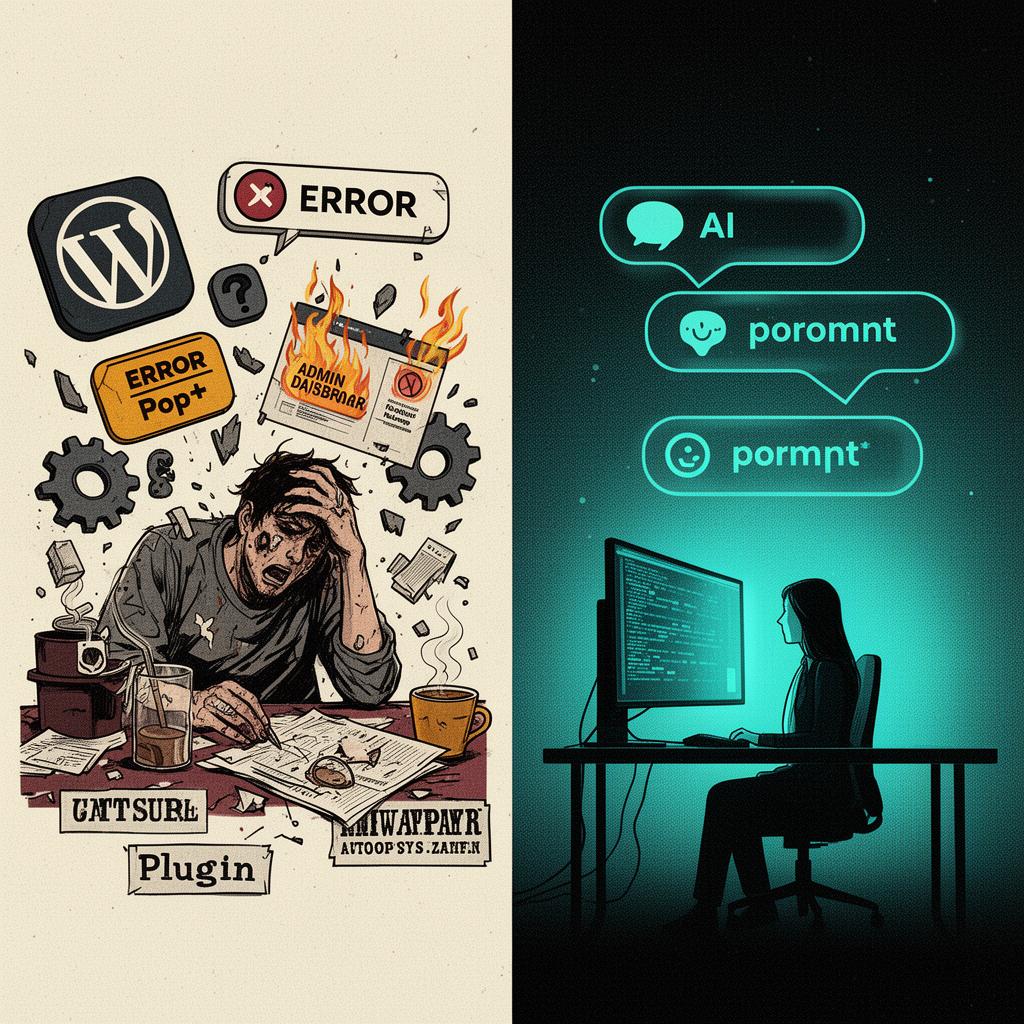
Two people wake up on the same Tuesday. Both run a small business. Both need a website that sells things, captures leads, ranks for something, and does not embarrass them at a dinner party. One of them logs into WordPress. The other opens a chat window. By six o'clock that evening, one of them has shipped a new landing page, a pricing table, a lead magnet, a Stripe checkout and a blog post. The other has spent eleven hours establishing that the reason the site is down is that an automatic update to Elementor 3.24 conflicts with an automatic update to WooCommerce 9.4 because both of them load a different version of the same Google Fonts loader script written in 2019 by a developer who has since left the project to work on a Solana wallet. This is that Tuesday. In real time. With timestamps.
Names are real. Version numbers are real. The plugins mentioned exist. The errors quoted are taken verbatim from support forums on wordpress.org, the Elementor community Slack, and the WooCommerce GitHub issue tracker, all of which are searchable, all of which are full of people who thought they were the only one. They were not the only one. They were a statistical certainty.
08:14 — The morning begins.
Brian opens his laptop, pours a coffee, and logs into wp-admin.example.co.uk. He is greeted by a red banner: 'WooCommerce 9.4 requires PHP 8.2 or higher. Your server is running PHP 7.4. Please contact your hosting provider.' Below it, in yellow, a notice from Yoast SEO advising that it has detected a conflict with Rank Math, which Brian does not remember installing. Below that, in green, a cheerful prompt from Jetpack asking if he would like to connect his site to WordPress.com 'for enhanced security'. He does not. He has clicked 'No thanks' on that prompt every Tuesday for four years. It returns every Tuesday. Like a swallow.
Priya, in the next street, opens her laptop, pours a coffee, and types into Lovable: 'add a testimonials section to the homepage with three quotes and headshots'. Forty seconds later there is a testimonials section on the homepage with three quotes and three headshots. She types 'make the second one a video testimonial instead'. Forty seconds later the second one is a video testimonial. She publishes. The deploy completes in eleven seconds. She drinks her coffee while it is still hot. This will become a recurring theme.
09:02 — The first plugin update.
Brian decides to deal with the PHP warning. He logs into Bluehost cPanel, navigates through three nested menus to find 'MultiPHP Manager', selects PHP 8.2, and clicks Apply. The site immediately returns a white screen of death. Not an error message. Not a stack trace. A white screen. He enables WP_DEBUG by SFTPing into wp-config.php, which requires him to find the SFTP password he set in 2022, which is in a Google Doc called 'passwords FINAL v3'. The debug log reveals the issue: Advanced Custom Fields Pro 5.12 calls a function deprecated in PHP 8.0. ACF Pro was last updated by Brian in 2021 because the licence renewal is £49 a year and the site 'works fine'. The site no longer works fine.
Priya types: 'connect Stripe and add a checkout for the £29 starter plan'. She is asked once for her Stripe publishable key. She pastes it. The checkout appears. Test mode is on by default. She clicks through a test purchase, sees the confirmation page, switches to live mode, and moves on. Elapsed time: four minutes. Number of cPanel screens visited: zero. Number of plugins installed: zero. Number of PHP versions considered: zero.
“WordPress asks you what version of PHP you would like to run. The correct answer, in 2026, is 'I should not have to know what PHP is'.”
10:30 — The plugin graveyard.
Brian renews ACF Pro for £49. The new version requires WordPress 6.4 minimum. He is on 6.2 because the last time he updated WordPress core, his custom theme — built in 2019 by a freelancer called Dean who is now uncontactable — broke in a way that took out the navigation menu on mobile only, which Brian did not notice for six weeks until a customer emailed. He has been afraid of the blue 'Update' button ever since. He decides to update anyway because there is no other path. He clicks. The maintenance mode banner appears. It does not disappear. The site is now stuck in maintenance mode. The fix is to SFTP back in and delete a file called .maintenance from the site root. He does not remember this. He Googles 'wordpress stuck in maintenance mode'. The first result is from WPBeginner. He reads it. He deletes the file. The site returns. The navigation menu on mobile is broken again.
By this point in the day Brian has installed, configured, or argued with: Wordfence Security (which has flagged his own admin login as suspicious), WP Rocket (which is conflicting with Autoptimize, which he forgot he had installed), UpdraftPlus (whose backup completed but cannot be restored because the file is 'corrupted', which means too big for PHP's max_execution_time), WPForms (which has stopped sending email because his host blocked port 587 in a security update nobody told him about), and Smush (which is asking him to upgrade to Pro to compress images larger than 1MB, which is every image he has ever uploaded). The dashboard has nineteen update notifications. He updates none of them. He has learned.
Priya types: 'add a blog with the first three posts being placeholder content about our launch, our team, and our product'. Three blog posts appear. They are well-written placeholder content. She edits the team post to add her co-founder's actual name. The edit takes seven seconds. She does not consider, at any point, whether her blog is using Gutenberg or Classic Editor. She does not know what those words mean. She does not need to.
12:45 — Lunch, in theory.
Brian eats a sandwich at his desk while watching a YouTube tutorial titled 'FIX WordPress White Screen of Death in 2024 — 100% WORKING'. The tutorial is sponsored by Hostinger, recommends switching to Hostinger, and demonstrates the fix by deleting all plugins via FTP, which is not a fix, it is a hostage negotiation. The comments are evenly split between 'thank you saved my site' and 'this deleted my site'. Brian closes the tab and books a £150 hour with a Fiverr developer in Lahore who promises he can fix it in twenty minutes. The developer takes six hours, fixes the white screen by reverting ACF to 5.12, which reintroduces the PHP deprecation warning, and leaves a comment in functions.php that reads // brian please do not touch this.
Priya goes out for lunch. She eats a salad. She talks to a human being. She comes back and types 'add a newsletter signup to the footer and connect it to Resend'. The newsletter signup appears in the footer. It is connected to Resend. She tests it with her own email. The welcome email arrives. She does not, at any point in this transaction, think about SMTP, port 587, SPF records, DKIM, DMARC, or whether her hosting provider has, in the last six weeks, silently rate-limited her outbound mail because a previous tenant on her shared IP was caught sending Viagra spam in 2019.
14:20 — The security update.
Wordfence sends Brian an email: a critical vulnerability has been discovered in LiteSpeed Cache, the plugin he installed in 2022 because a YouTube video told him it would make his site faster. The vulnerability is CVE-2024-44000, real, score 9.8, allows unauthenticated account takeover. It affects every version below 6.5.0.1. Brian's version is 5.7.0.1. He has not updated it because the last LiteSpeed update broke his cache, and the broken cache served logged-in admin pages to logged-out visitors for a week, including one to Google's crawler, which indexed his wp-admin dashboard. He still has not removed those URLs from the search results. He updates LiteSpeed. The cache breaks again. He disables LiteSpeed. The site loads in 9.4 seconds. He re-enables it. It loads in 1.8 seconds and serves the wrong page to the homepage. He weeps, quietly, into his tea.
Priya does not have a security update to apply, because Priya does not have a security plugin, because Priya does not have a CMS that requires a security plugin to compensate for the CMS. Her site is statically rendered, deployed behind a CDN, with no admin panel facing the public internet, no PHP execution layer to exploit, no /wp-login.php for a Belarusian botnet to brute-force at three in the morning, and no plugin marketplace through which a developer who has lost interest can ship a backdoor in an update titled 'minor improvements'.
“WordPress's biggest security problem is WordPress. The second biggest is the 59,000 plugins designed to fix the first one.”
15:50 — The page builder.
Brian needs to add a landing page for a new product. He opens Elementor. Elementor opens after eleven seconds, during which the editor displays a spinning logo and the words 'Loading the editor'. He drags a Heading widget onto the canvas. He drags a Text widget below it. He drags an Image widget below that. He spends nineteen minutes attempting to get the three widgets to sit in a row instead of a column, which requires nesting them inside a Section, then inside a Column, then inside an Inner Section, then setting the Column's flex-direction in the Advanced tab, which is not where any human being would look for it. He saves. The preview shows the row. He publishes. The published page shows the column. The Elementor cache and the WP Rocket cache and the LiteSpeed cache and the Cloudflare cache are all serving different versions of the page to different visitors. He clears all four. The site returns a 502 Bad Gateway. Bluehost support, contacted via chat, tells him the issue is 'on his end' and recommends a VPS upgrade for £39 a month.
Priya types: 'add a landing page for the new product called Atlas, with a hero, three feature cards, a pricing table reusing the starter plan from earlier, a testimonial, and a CTA to the Stripe checkout'. The landing page appears. It is well-structured. The pricing table reuses the starter plan from earlier because she said so. She tweaks the hero copy. She publishes. The page is live in eight seconds, served from an edge CDN, with no cache to clear because there is no stale cache to begin with. She has, at this point in the day, shipped: a testimonials section, a Stripe checkout, three blog posts, a newsletter signup, a landing page, and a working email pipeline. Total prompt count: nine. Total minutes of actual concentration: forty-six.
17:30 — SEO, in name only.
Brian opens Yoast. Yoast tells him his new product page has a readability score of 'needs improvement' because the average sentence has too many words, the focus keyphrase appears only once in the body, and there is no meta description. He writes a meta description. Yoast turns the bullet orange instead of green because the meta description is 142 characters and Yoast wants 156. He adds two words. Yoast turns it green. The page is not indexed. The page will not be indexed for six weeks because Google's crawler de-prioritised the domain in 2023 after the LiteSpeed cache served wp-admin to it, and Brian has not yet, despite three Search Console submissions, persuaded Google that the site is no longer compromised.
Priya's page has a meta title, a meta description, an Open Graph image, structured data for the product, a canonical tag, and a properly nested h1-h2-h3 hierarchy, because the system that built the page generates all of this by default, because somebody decided that the default should not be 'nothing'. She does not see any of it. She does not need to. The page is indexed within twenty-four hours because the site has a sitemap that is automatically updated, submitted to Google Search Console via the API on every publish, and served from a CDN with a TTFB low enough that Googlebot does not give up and move on.
19:14 — The day ends, for one of them.
Brian closes his laptop. The site is up. The new product page is half-built. The landing page is live but displays wrong on iPhone. The blog post he intended to write today has not been written. His support ticket with Bluehost has been escalated to 'Tier 2', which is the same Tier 1 agent with a different chat window. He has spent £49 on ACF, £150 on the Fiverr developer, £29 on a one-month WP Rocket licence renewal, and an indeterminate number of hours he is not paid for. The lifetime cost of his site, calculated honestly, is somewhere in the region of £18,000, of which approximately £400 went to the host and approximately £17,600 went to the time he has spent not being able to publish things.
Priya closed her laptop at five. She had dinner with friends. The product is launched. The Stripe dashboard shows three test purchases and one real one, from a customer in Manchester who found the landing page through a Reddit post Priya did not write. The newsletter has eleven signups. The blog has three posts. The lifetime cost of the site, calculated honestly, is a Lovable subscription, a Stripe processing fee, a Resend allowance she has not yet exhausted, and a domain renewal once a year. She has not, at any point this Tuesday, thought about PHP, plugins, caches, CDNs, FTP, cPanel, deprecation notices, or what a .maintenance file is for. She has, instead, thought about her product, her customers, and what to have for dinner.
The honest comparison.
WordPress is not slow because WordPress is bad. WordPress is slow because WordPress is a content management system from 2003, layered with eighteen years of plugin architecture grafted onto a database schema designed for a personal blog, served through a PHP runtime that pretends each request is the first one the server has ever seen, hosted on shared infrastructure built by a private equity firm whose customer retention strategy is making migration hard, and configured by a small business owner who never asked to learn what an inode is. The miracle is not that WordPress sometimes breaks. The miracle is that it ever works.
AI-built sites are not magic. They are the same components you would assemble by hand — a static frontend, an API layer, a Postgres database, a CDN, a transactional email provider, a payments processor — assembled by a system that has read every Stack Overflow post about how to wire them together and does not, unlike Dean, charge £400 a day to do it badly. The cost of getting it wrong is one prompt. The cost of getting WordPress wrong is six hours, a Fiverr invoice, and a navigation menu that has been broken on mobile since 2019.
“Brian's Tuesday is what happens when the tools you use were designed to keep you needing the tools you use. Priya's Tuesday is what happens when they were not.”
If you recognised yourself in Brian, the question is not whether you can keep going. You can. People kept going with fax machines until 2008. The question is what else you would have done today if the tools had not been the work.
Found this useful? Argue with it.
More Heresies →